
Tutorial on What is the MetaMask Bridge and How to do it?
MetaMask bridge helps you to transfer your belongings from one blockchain to another blockchains. There is a vast range of blockchains out there that users are dealing with regarding the wallet they use and the blockchains it supports.
The good news is that the MetaMask bridge will be even more helpful since the MetaMask crypto wallet supports many blockchains without any exceptions.
In this article, you will learn the MetaMask bridge and how to do it.
What is the MetaMask bridge?
MetaMask is a popular cryptocurrency wallet and browser extension that allows users to interact with the Ethereum blockchain. It provides a secure and convenient way to store, send, and receive Ethereum and other ERC-20 tokens. One of the key features of MetaMask is its ability to connect with decentralized applications (dApps) and decentralized finance (DeFi) platforms, allowing users to seamlessly access a wide range of services within the Ethereum ecosystem.
The MetaMask Bridge is a new feature that allows users to connect their MetaMask wallet with other blockchains, such as Binance Smart Chain (BSC) and Polygon. This enables users to access a wider range of decentralized applications and services, as well as take advantage of lower transaction fees and faster confirmation times offered by these alternative blockchains.
The MetaMask Bridge works by creating a bridge between the Ethereum blockchain and the target blockchain, allowing users to transfer their assets between the two networks. This opens up new opportunities for users to participate in DeFi protocols, trade on decentralized exchanges, and access other services that are not available on the Ethereum network.
How to bridge your MetaMask wallet?
To bridge your MetaMask wallet using the MetaMask Bridge, follow these steps:
Step 1: Install MetaMask
If you don't already have MetaMask installed, you can download it from the official website or through your browser's extension store. Once installed, create a new wallet or import an existing one using your seed phrase.
Step 2: Connect to the Target Network
To bridge your MetaMask wallet to another blockchain, you need to connect to that network within your MetaMask extension. Click on the network dropdown menu at the top of the extension window and select "Custom RPC." Enter the details for the target network, including its RPC URL and chain ID.
Step 3: Add Tokens
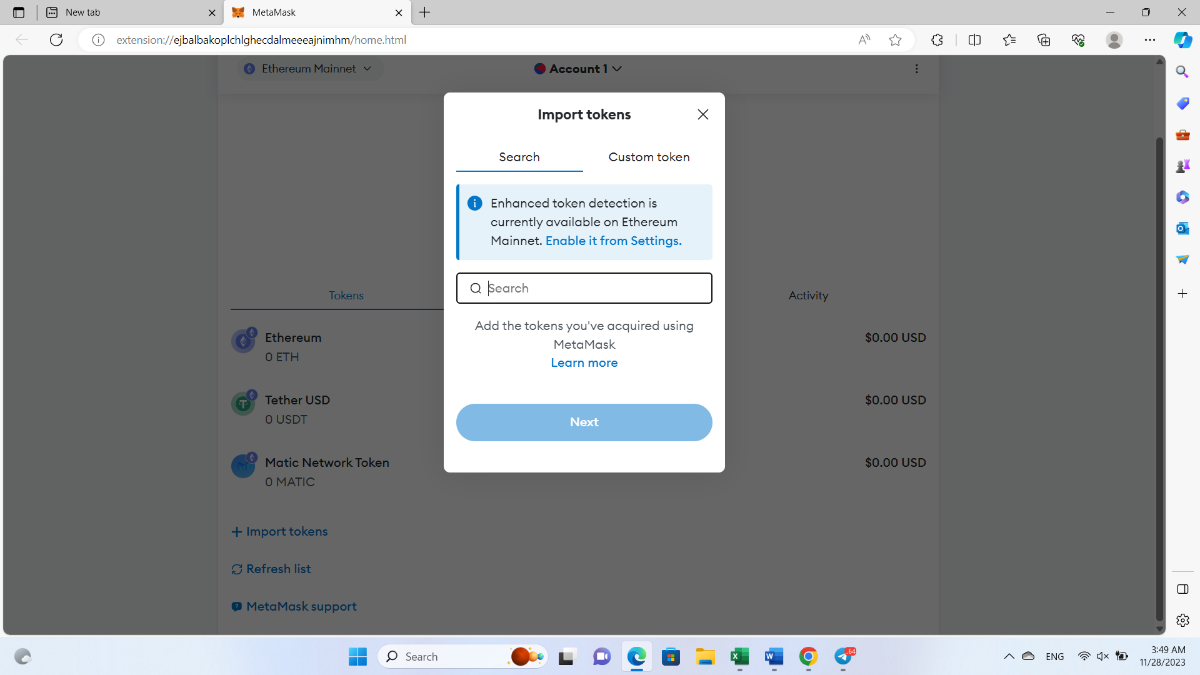
Once connected to the target network, you may need to add tokens that are specific to that blockchain. Click on "Add Token" within your MetaMask extension and enter the contract address for any tokens you want to use on this network.
Step 4: Use The Bridge
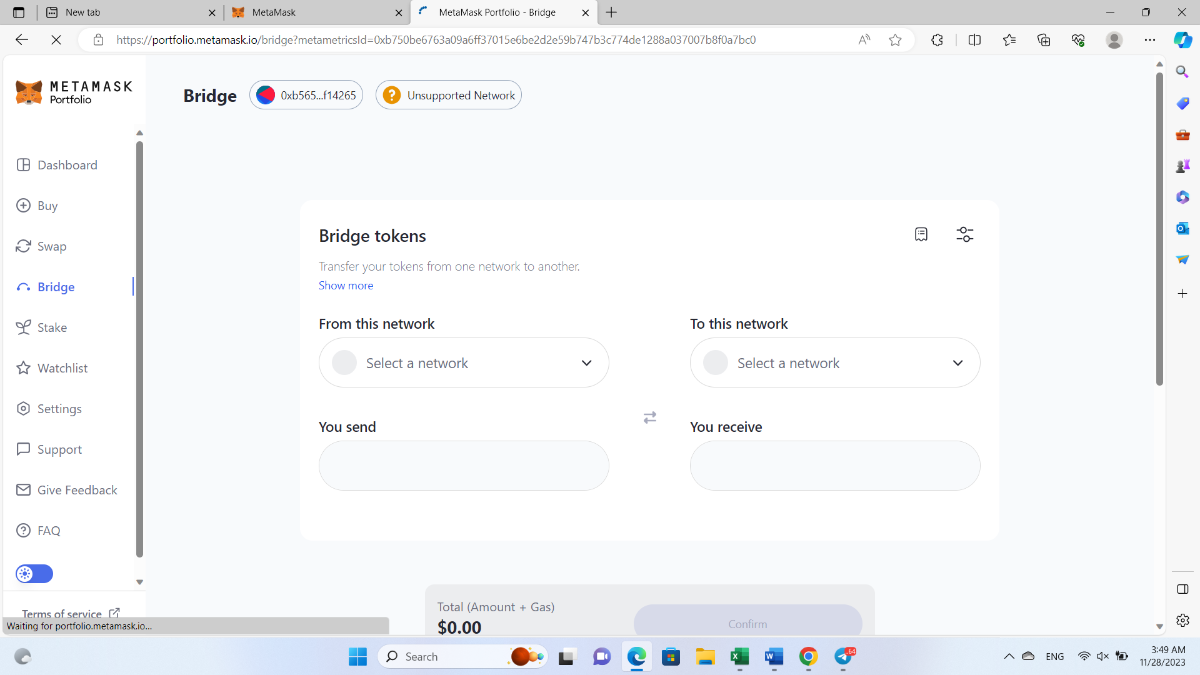
With your MetaMask wallet now connected to the target network, you can use the MetaMask Bridge feature to transfer assets between blockchains. Visit bridge.metamask.io in your web browser and click "Get Started." Select which asset you want to transfer from Ethereum to another blockchain or vice versa.
Step 5: Confirm Transaction
After selecting which asset you want to transfer, enter the amount you wish to send and confirm any associated fees. Review all transaction details carefully before clicking "Next" or "Confirm" depending on which blockchain you are transferring from or two.
Step 6: Wait for Confirmation
Once confirmed, wait for your transaction to be processed by both blockchains. This may take some time depending on network congestion and other factors. You can track your transaction using tools like Etherscan for Ethereum transactions or BscScan for Binance Smart Chain transactions.
Step 7: Enjoy Using Your Assets
Once your transaction has been confirmed on both blockchains, you can now use your assets within dApps or DeFi protocols specific to that network. You may also choose at any time in future if needed; reverse this process by bridging back from Binance Smart Chain back into Ethereum via Metamask bridge if needed in future.
In conclusion, The MetaMask Bridge is an exciting new feature that expands upon what was already possible with this popular cryptocurrency wallet. By connecting with other blockchains through this bridge functionality; users can access more decentralized applications & services than ever before while also taking advantage of lower fees & faster confirmation times offered by these alternative networks compared against traditional Ethereum Network itself!

