یک برنامه برای سهولت استهلام می باشد که با react نوشته شده و مامور پلیس می تواند با وارد کردن مشخصات به چند روش مختلف و راحت، استعلام کند.
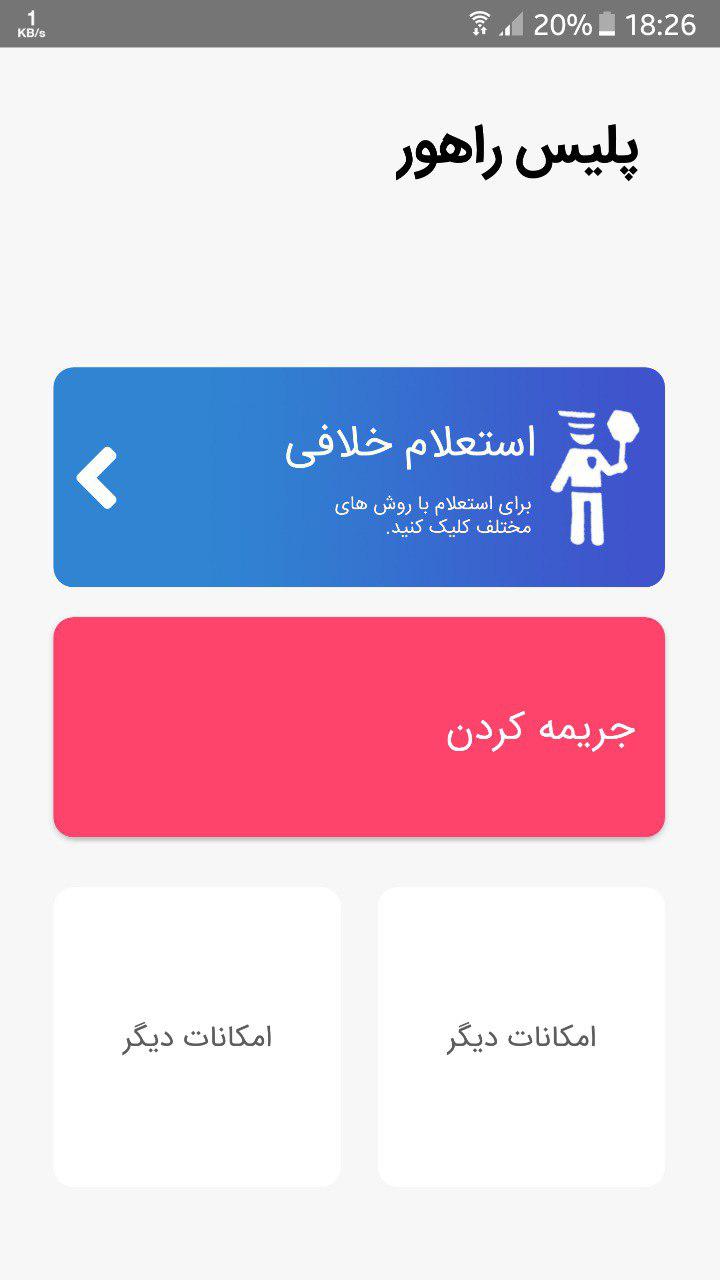
در این قسمت استعلام خلافی را انتخاب کرده و روش مورد نظر را انتخاب می کند.
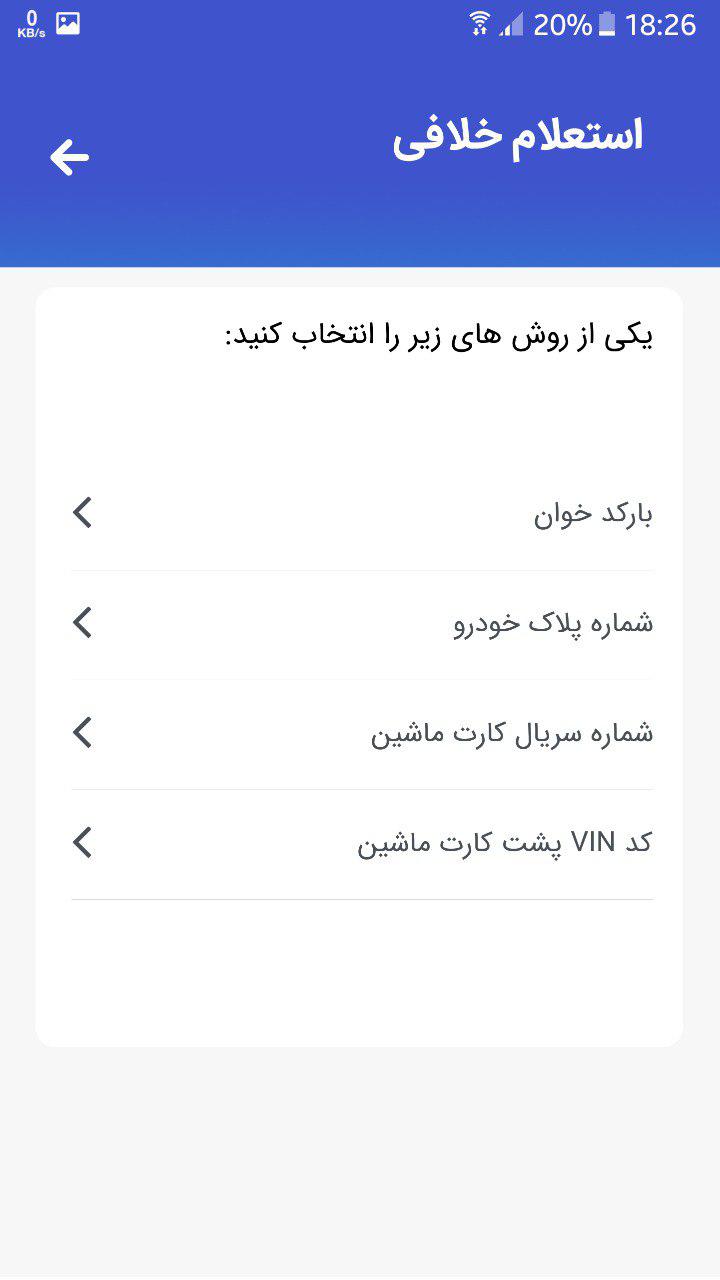
یکی از این روش ها با کد آن در پایین آورده شده است:
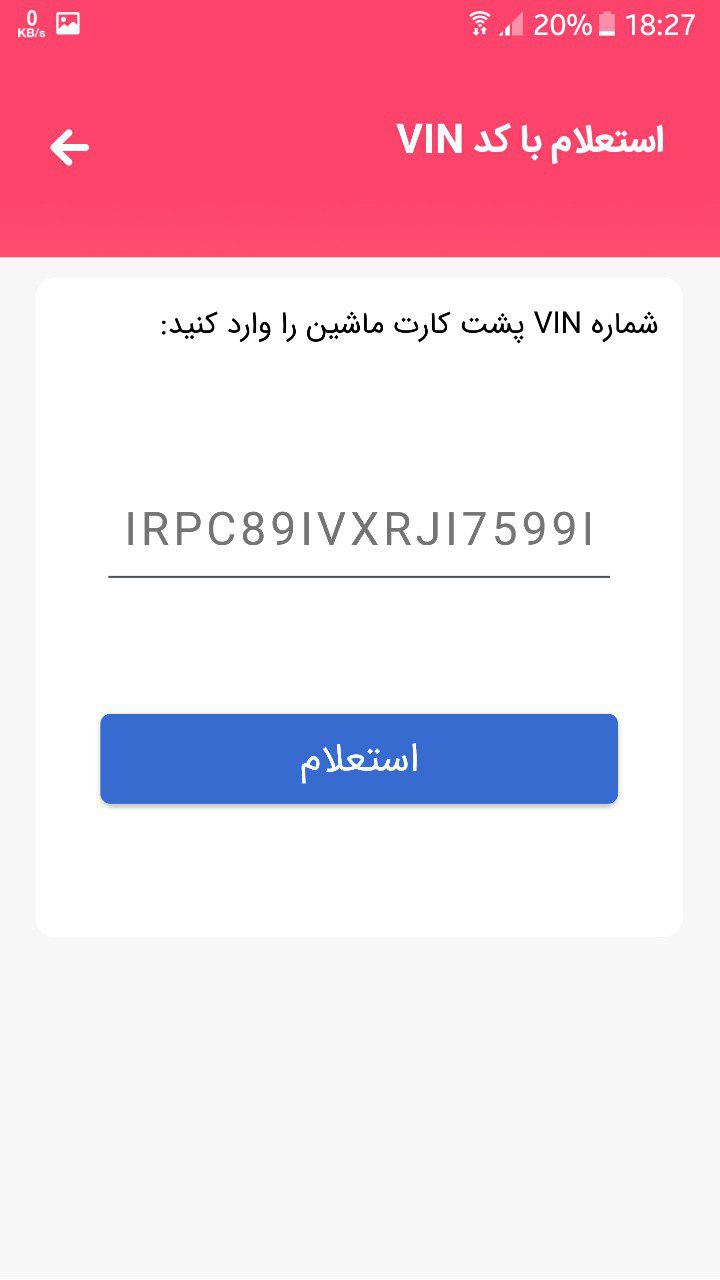
کد react صفحه بالا:
import React, { Component } from 'react';
import { View, TouchableNativeFeedback, TextInput, Text } from 'react-native';
import MYHeaderOnRed from './component/HeaderOnRed';
import { Content, Container, Icon, Item, Picker, Input, Button } from 'native-base';
import styles from './styles/EstelamBaVINstyles';
class EstelamBaVIN extends Component {
constructor(props) {
super(props);
this.state = {
};
}
onValueChange2(value) {
this.setState({
selected2: value
});
}
render() {
return (
<Container>
<MYHeaderOnRed title="استعلام با کد VIN " />
<TouchableNativeFeedback style={{
width: 40,
height: 40,
marginTop: -80,
marginLeft: 15,
justifyContent: 'center',
alignItems: 'center',
marginBottom: 55
}} onPress={() => this.props.navigation.goBack()}>
<View style={{
width: 40,
height: 40,
marginTop: -80,
marginLeft: 15,
justifyContent: 'center',
alignItems: 'center',
marginBottom: 35
}}>
<Icon name="arrow-round-back" style={{ color: "white" }} />
</View>
</TouchableNativeFeedback>
<Content>
<View style={styles.cnt}>
<View style={styles.mainview}>
<Text style={styles.topictxt}>
شماره VIN پشت کارت ماشین را وارد کنید:
</Text>
<TextInput placeholder="IRPC89IVXRJI7599I"
underlineColorAndroid="#495057"
maxLength={17}
style={styles.VINinput}>
</TextInput>
<View style={styles.btnview}>
<Button style={styles.btn}>
<Text style={styles.btntxt}>
استعلام
</Text>
</Button>
</View>
</View>
</View>
</Content>
</Container>
);
}
}
export default EstelamBaVIN;