ویرگول
ورودثبت نام
Androidtechniques
AndroidtechniquesThere are many ways to make Windows and Android operating systems work together. One of these methods is to display the Android phone .....
Androidtechniques
Androidtechniques
خواندن ۲ دقیقه·۳ سال پیش

How To Check AirPod Battery On Android Devices

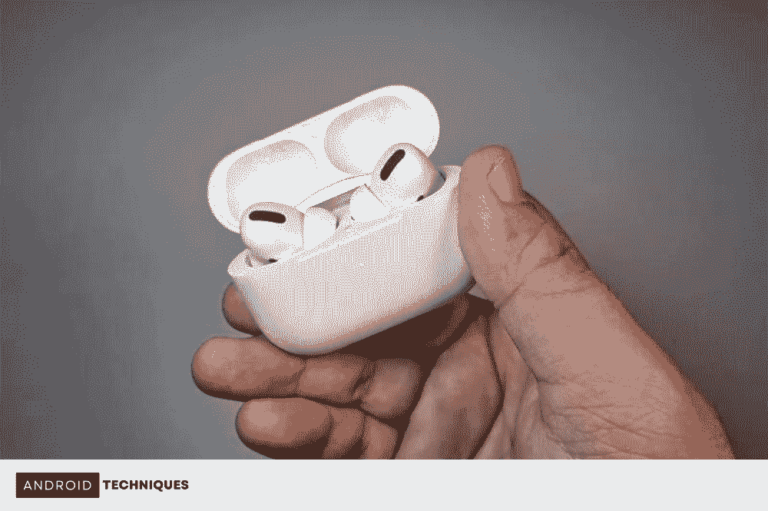
As mentioned, AirPods are optimized to connect to iOS, and users who plan to connect it to Android cannot access the unique features of this product. For example, the lack of access to the AirPods battery check section is one of the mentioned features. Opening the AirPods case on iPhone or iOS devices will automatically display the battery level.

Also, when you connect it to iOS, you can see the remaining charge. Two applications are available for viewing AirPod charging on Android with ideal performance, which we will introduce below. You can see the charge level of AirPods in Samsung phones with the following methods. Also, these two programs make it possible to see the charge level of AirPods in Xiaomi phones.

These features aren’t available by default on Android, but you can use third-party apps to replicate them. For example, MaterialPods is one of the most popular options available to Android users, with over half a million downloads on Google Play.

This application is customizable and makes 3D fantasy animations available to users. The Pro version can automatically continue playback (when connected to AirPods). It also has the ability to detect in-ear placement automatically, but this feature is still experimental.

  • Open the MaterialPods app.
  • At the bottom of Bluetooth LE Scanning, tap on Check Permission and select Allow.
  • At the bottom of Draw Over Other Apps, select Check Permission.
  • Next, you need to tap on the MaterialPods name to select the option to provide access.
  • In the lower part of Disable Battery Optimization, you must select the check Permission option and issue the permission (Allow).
  • Now you need to select Close on the Dear User pop-up notification.
  • Select your AirPod model from the list by watching the displayed animations.
  • Next, you should receive a pop-up notification showing the battery charge level.
  • You have now managed to view the charge of AirPods on Android phones using the MaterialPods app.
۱
۰
Androidtechniques
Androidtechniques
There are many ways to make Windows and Android operating systems work together. One of these methods is to display the Android phone .....
شاید از این پست‌ها خوشتان بیاید